

























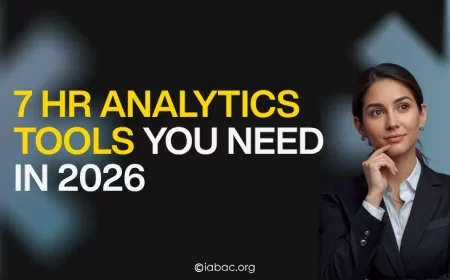





























What Are the Best HR Analytics Tools in 2026?
Compare the top HR analytics tools in 2026. Find the right platform for your team size, budget, and workforce goals without the guesswork.

If you have ever sat in a leadership meeting trying to explain why three strong performers left in the same quarter, you already know the gap. Everyone has opinions, but nobody has answers.
That is the problem HR analytics tools are built to solve. They take the data your company already collects, payroll records, performance reviews, attendance patterns, exit interviews, and connect it in a way that actually means something. Instead of guessing, you start seeing.
The tricky part is choosing the right one. A growing team of 30 people does not need the same platform as a company with offices across five countries. This guide walks you through the tools worth your time in 2026, what to look for before you buy, and the mistakes that are easy to avoid once you know they exist.
Why HR Analytics Tools Matter More Than Ever Right Now
A few years ago, "people analytics" was mostly a buzzword reserved for big tech companies. Not anymore.
The global workforce analytics market was valued at $2.37 billion in 2025 and is projected to reach $7.12 billion by 2034. That kind of growth does not happen unless businesses see real results from these tools.
The shift is simple:
Companies that manage their people using data make faster, smarter decisions. They know who is likely to leave before that person sends a resignation email. They know which teams are burning out before the performance drops. They can plan next year's hiring based on actual workforce trends, not just a manager's hunch.
HR analytics tools transform raw data into actionable insights, helping organizations improve hiring, retention, and overall workforce management. That is not just nice to have in 2026; it is a real competitive edge.
The 4 Types of HR Analytics You Should Know
Before jumping to tool recommendations, it helps to understand what kind of analytics your team actually needs. Most platforms fall into one of these four categories:
-
Descriptive analytics: looks at what already happened (turnover rates, headcount trends, absenteeism)
-
Diagnostic analytics: Digs into why something happened (why did Q3 retention drop?)
-
Predictive analytics: Forecasts what is likely to happen next (which roles are at flight risk?)
-
Prescriptive analytics: Tells you what you should do about it (recommend a retention strategy)
Most small and mid-size teams start with descriptive tools and grow from there. Enterprise teams usually need all four working together.
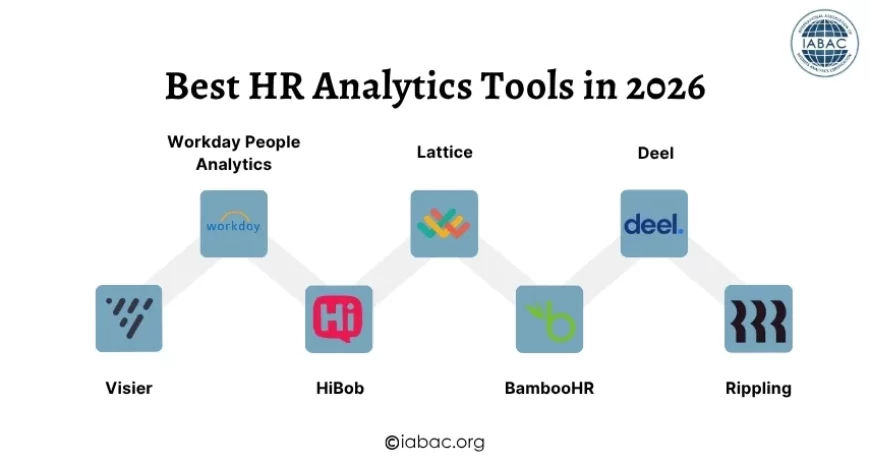
The Best HR Analytics Tools in 2026
Here are the tools worth your attention this year, broken down by who they work best for.
1. Visier: Best for Enterprise People Analytics
Visier delivers predictive people analytics and workforce insights by unifying HR, finance, and operational data. It is the go-to choice for large companies that want deep visibility into their workforce across multiple departments and data sources.
What makes Visier stand out is how it connects dots that other platforms miss — linking business outcomes directly to people’s decisions. If you want to know how a team restructuring affected productivity six months later, Visier can show you that.
Best for: Large enterprises with dedicated HR analytics teams
Pricing: Custom enterprise pricing
2. Workday People Analytics: Best for Integrated HR + Finance Data
Workday provides adaptive planning, skills cloud, and AI-driven analytics within its enterprise HCM suite. If your company already runs on Workday for payroll or finance, its analytics layer is a natural upgrade.
The platform is impressive in scope but comes with a caveat. For mid-sized companies, Workday can feel like using a system that was built for a completely different scale. It is best suited for organizations with dedicated teams to manage and maintain it.
Best for: Large enterprises already using Workday
Pricing: Custom; typically higher-end
3. HiBob: Best All-in-One for Mid-Market Teams
HiBob is best for all-in-one HR analytics, workforce planning, and HRMS, ideal for mid-market and enterprise teams.
What people love about HiBob is that it does not feel like a cold, corporate system. The interface is clean, the dashboards are easy to read, and HR teams can actually use it without needing a data analyst sitting next to them. It features real-time workforce dashboards to monitor headcount changes, absence patterns, and productivity metrics with automated data updates.
Best for: Mid-size companies (100–1,000 employees) wanting analytics + HRIS in one place Pricing: Custom based on headcount
4. Lattice: Best for Performance and Engagement Analytics
Lattice is best for performance and engagement analytics with AI summaries, ideal for SMBs to mid-market companies.
Lattice is built around a simple idea: performance data and engagement data should live in the same place. Instead of running your reviews in one system and your engagement surveys in another, Lattice keeps everything connected so you can see the full picture.
It is particularly strong for companies that care about employee development and culture — not just headcount numbers.
Best for: SMBs and mid-market teams focused on people development
Pricing: Modular pricing; starts around $11 per person/month
5. BambooHR: Best for Small Businesses Getting Started
If you are a small business that has never used an HR analytics platform before, BambooHR is one of the most accessible starting points. For small businesses, the average monthly cost for HR analytics software ranges from $8 to $15, and BambooHR sits right in that range.
It handles the fundamentals well, turnover tracking, headcount reports, time-off analytics — without overwhelming you with features you do not need yet.
Best for: Small businesses under 100 employees
Pricing: Around $9–$16 per employee/month
6. Deel: Best for Remote and Global Teams
Deel is best for global payroll, engagement, and performance analytics, great for remote or hybrid teams, from mid-market to enterprise.
Managing a distributed workforce across multiple countries adds layers of complexity that most tools were never designed to handle. Deel solves that by combining payroll compliance data with workforce analytics in a single platform, so you always know what is happening across your global team.
Best for: Remote-first or globally distributed companies
Pricing: Starts around $20 per employee/month; custom for enterprise
7. Rippling: Best for Connecting HR with IT Data
Rippling is best for integrating HR analytics with IT and payroll systems seamlessly.
This one is a bit different from the others. Rippling is not a pure analytics tool — it is a workforce platform that combines HR, IT, and finance data. What that means in practice is you can track things like software usage, device activity, and access management alongside your HR data, giving you a much more complete picture of how work actually happens in your company.
Best for: Tech-forward companies wanting HR + IT in one platform
Pricing: Starts around $8 per employee/month
What to Look for Before You Buy
Before evaluating platforms, honestly assess where your organization sits on the analytics maturity curve. Organizations at the descriptive stage have different needs than those ready for predictive and prescriptive analytics.
Here are the key questions to ask before choosing a tool:
-
What specific questions do you need answered? Turnover? Hiring efficiency? Engagement scores? Start with the problem, not the software.
-
How clean is your existing data? If you rely on bad data, you might not get the full picture. Build a high-quality database of your people and business metrics before going all in.
-
What systems do you already use? The best tool is often the one that connects smoothly to your existing HRIS, payroll, and ATS without a painful migration.
-
Who will actually use it? A tool that requires a data scientist to run basic reports is not useful for an HR team of three.
-
What is your budget per employee? Budget-friendly options start at $6–12 per employee per month; mid-range platforms run $12–25; and enterprise solutions like Visier and Workday can start at $50,000+ annually.
Data Readiness Comes Before the Tool
One thing that often gets skipped in the buying process is making sure your data is actually ready. Before you spend money on any platform, your employee records need to be clean and centralized. Many companies invest in a great tool and then realize their data is scattered across spreadsheets and three different systems. No analytics platform can fix that for you. That groundwork has to come first.
How Long Before You See Results
Realistic timelines matter here. For most teams, the first three months are just setup and baseline tracking. Meaningful insights tend to emerge around months four to six. Going in with that expectation will save you a lot of frustration.
Team Buy-In Matters as Much as the Tool
The best HR analytics platform will not work if your HR team does not trust the numbers or if leadership is not interested in acting on them. Getting your team comfortable with the data and helping managers understand what it means for their decisions is just as important as picking the right software. Change management is half the job.
Make the Most of Your Free Trial
85% of professionals opt for a 30-day trial before purchasing HR analytics software. Take full advantage of that window. Run your actual use cases during the trial — not the demo scenarios the vendor walks you through. Test the reports you will actually need, connect the data sources you currently use, and get at least two or three people on your team to try it independently. That is how you find out if a tool actually fits before you commit.
Common Mistakes HR Teams Make with Analytics Tools
Even with the right tool, teams can get tripped up. Here is what to watch for:
-
Focusing on data over people. If you rely too heavily on data, you might not get the full picture. Incorporate actual human feedback and other factors to provide the right context for your analyses.
-
Buying enterprise software before you are ready. A startup buying Visier is like buying a semi-truck when you need a bicycle. Match the tool to where you actually are.
-
Ignoring data quality. Garbage in, garbage out. If your employee records are incomplete or outdated, no analytics platform will save you.
-
Skipping user training. Even the most intuitive tool has a learning curve. Budget time for your team to actually learn the platform before expecting results.
-
Measuring everything at once. Start with two or three key metrics that directly connect to a business problem. Trying to track 40 things on day one leads to dashboard overload and no real action.
HR analytics tools in 2026 range from simple reporting dashboards for small businesses all the way to platforms that predict workforce trends months in advance. There is no single best tool — there is only the best tool for where your company is right now.
Start by identifying one or two real problems you want to solve. Then find the platform that tackles those problems without overwhelming your team or your budget. The goal is not to have the most powerful analytics suite. The goal is to make better people decisions consistently, every single day.
And when you do find the right tool, the data will start telling you things about your workforce that will genuinely surprise you.
If you want to go deeper into the skill side, the HR Analytics Certification is a solid starting point to build the knowledge that makes these tools work harder for you.