




























































Best Finance Analytics Tools for Small Business 2026
Looking for the right finance analytics tool? Explore the best options for small businesses in 2026 and make smarter financial decisions with ease.

What are the best finance analytics tools for small business in 2026?
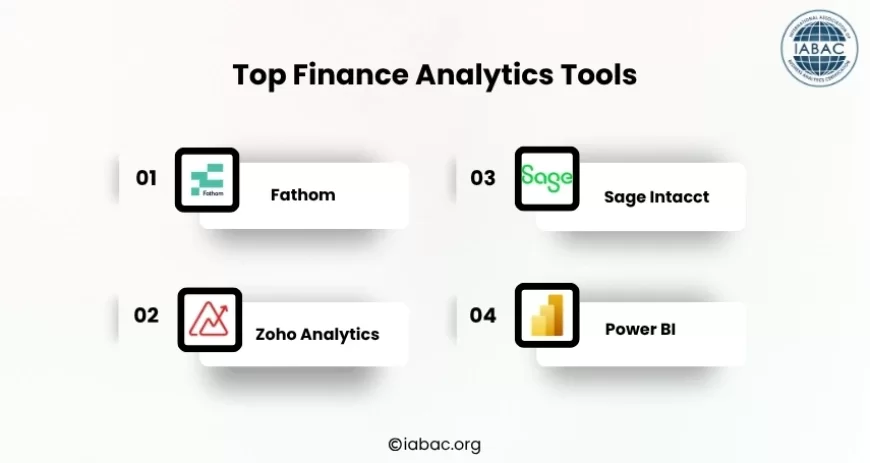
The top finance analytics tools for small businesses are Fathom (best for all-in-one reporting and forecasting), Zoho Analytics (most affordable), Sage Intacct (best for compliance), and Power BI (most powerful for custom analysis). Most small businesses see ROI within 6-12 months by automating financial reporting and gaining real-time visibility into cash flow, revenue, and key metrics.
The Problem Most Small Business Owners Ignore
You're checking your bank balance. Numbers look okay. Then your accountant calls with bad news: you're actually losing money each month, but you didn't realize it because you've been making decisions on outdated information.
This is the reality for 29% of small business owners, where cash flow remains a top challenge in 2026.
Here's what happens without finance analytics tools:
-
Monthly reporting delays: Your accountant sends financial reports 2-4 weeks late. By then, you've already spent the money you thought you had.
-
Spreadsheet errors: A formula mistake in your budget forecast costs you $10K in unexpected expenses.
-
Missing patterns: You don't notice that Customer Segment A is actually unprofitable until Q3, six months of losses gone.
-
No forecasting: You can't predict cash needs 90 days out, so you scramble for emergency financing at high rates.
-
Time wasted: Your finance person spends 15 hours monthly pulling numbers from different systems instead of analyzing what they mean.
Finance analytics tools solve all of this.
According to the financial analytics market, projected to grow from USD 11.86 billion in 2026 to USD 27.36 billion by 2034, growing at 11% annually as SMEs increasingly adopt digital financial solutions, small businesses are waking up to this reality.
Why 2026 Is Different (And Why Now Matters)
Three things changed in 2026 that make finance analytics tools actually worth buying:
1. AI Makes Data Analysis Accessible to Non-Technical People
You no longer need a data analyst. Natural Language Processing (NLP) integrates chatbots and digital assistants to provide real-time financial insights, allowing you to ask questions about your data in plain English and get answers. You can ask your tool, "Why did operating costs spike last month?" and get a breakdown instantly.
2. Small Businesses Are Adopting at Scale
The Small and Medium-sized Enterprises (SMEs) segment is anticipated to grow at the highest CAGR during the forecast period, with SMEs worldwide increasingly embracing digitalization. This means tools are now designed for you, not just enterprise customers with $1M tech budgets.
3. AI-Powered Pricing and Financial Tools Show Measurable ROI
According to the 2026 Small Business Tech Use Survey, 82% of small business employers have invested in AI tools, with 97% of small business users reporting positive revenue impacts through better price optimization, and 94% reporting improved competitiveness.
Quick Comparison: Finance Analytics Tools for Small Business
|
Tool |
Best For |
Starting Price |
Learning Curve |
Best Features |
|
Fathom |
All-in-one reporting + forecasting |
$300/month |
Easy |
3-way cash flow forecasting, automated reports |
|
Zoho Analytics |
Budget-conscious owners |
$25/month |
Very Easy |
Real-time dashboards, 100+ integrations |
|
Sage Intacct |
Multi-location businesses |
$500/month |
Moderate |
Consolidation, compliance, audit trails |
|
Power BI |
Custom analysis, Microsoft shops |
$10-20/user/month |
Hard |
Most flexible, most powerful |
|
Cube |
Growing SMBs |
$250/month |
Easy |
Planning + reporting together |
How We Evaluated These Finance Analytics Tools
To make this list practical for small business owners, we evaluated each finance analytics tool based on the factors that matter most in day-to-day financial management:
-
Pricing & Value: We compared subscription costs against the features offered to determine whether each tool provides good value for small businesses with different budgets.
-
Integrations: We assessed how well each platform connects with commonly used accounting, ERP, CRM, payment, and business applications to reduce manual data entry.
-
Forecasting & Reporting: We evaluated each tool's ability to generate financial reports, cash flow forecasts, budgeting insights, and real-time dashboards for better decision-making.
-
Ease of Use: We considered the learning curve, interface, implementation effort, and overall usability for business owners and finance teams without advanced technical expertise.
-
Scalability: We reviewed whether the platform can support growing businesses by handling larger datasets, multiple entities, additional users, and more complex reporting requirements.
The Top Finance Analytics Tools for Small Businesses in 2026
1. Fathom: Best All-In-One Solution for Small Business
Fathom is a financial reporting and analysis platform that connects to your accounting software and turns your financial data into KPI dashboards, forecasts, and visual reports. It's designed for small to mid-sized businesses and accounting advisors that need financial reporting, KPI tracking, and cash flow forecasting in one place.
Why Small Businesses Choose Fathom:
-
3-way cash flow forecasting: You can perform detailed three-way cash flow forecasts, pulling together your profit and loss, balance sheet, and cash flow data into a single forward-looking model. This alone saves 8-12 hours monthly.
-
Automated report delivery: Set reports to generate automatically and email them to stakeholders. No more manual work.
-
Direct integrations: Connect to QuickBooks, Xero, MYOB, Excel, and Google Sheets without extra tools.
-
KPI tracking: Build custom dashboards tracking metrics that actually matter to your business.
Real ROI Example: A 12-person service business using Fathom:
-
Saves 8 hours/month on report creation = $400 in labor (at $50/hour)
-
Catches $15K overspending in Q2 by noticing expense trends early
-
Improves cash position by forecasting 90 days out, avoiding an $8K emergency loan
-
Total first-year impact: $20K+ in savings + avoided costs
-
Tool cost: $3,600/year
-
Net ROI: 455%
Who It's Best For:
-
Businesses with accountants or bookkeepers
-
Anyone who currently spends 5+ hours monthly on reporting
-
Businesses needing accurate forecasting
Honest Limitation: Less powerful for extremely custom analysis compared to Power BI. Focused on financial reporting, not broader business analytics.
2. Zoho Analytics: Best for Budget-Conscious Small Business Owners
Zoho Analytics provides real-time insights and customizable interactive dashboards, making complex financial data accessible and understandable for businesses of all sizes.
Why Choose Zoho:
-
Most affordable: Starting at $25-$50/month, it's genuinely accessible for solo entrepreneurs and small teams.
-
Real-time dashboards: Real-time reporting capabilities enable you to make quick, informed decisions, which is crucial in a fast-paced business environment.
-
Massive integration library: Connects to 100+ data sources, QuickBooks, Stripe, Shopify, Google Sheets, Salesforce, and more.
-
Zero technical requirements: Drag-and-drop dashboard builder means your bookkeeper can set it up.
Real Use Case: An e-commerce business owner uses Zoho to connect:
-
Stripe (payment processor) → sees daily revenue
-
Shopify (store) → tracks conversion rates
-
QuickBooks → monitors expenses
-
Google Analytics → compares customer acquisition cost to revenue per customer
All in one dashboard updated hourly. Decision: "Do we spend $5K on paid ads this month?" Changes from guessing to data-driven.
Who It's Best For:
-
Sole proprietors and small teams (under 5 people)
-
Businesses under $500K annual revenue
-
Anyone who wants to start simple and upgrade later
-
E-commerce and service businesses with multiple data sources
Honest Limitation: Less sophisticated forecasting than Fathom. Better for "seeing what happened" than "predicting what's coming."
3. Sage Intacct: Best for Growing Small Businesses with Compliance Needs
Sage Intacct is a cloud financial management system specifically designed for small to midsize businesses, with real-time dashboards and dimensional reporting that significantly improve financial visibility, multi-entity consolidation, and automation.
Why Consider Sage Intacct:
-
Multi-entity consolidation: Strong support for multi-entity accounting, multi-currency operations, and tax compliance across jurisdictions, a key reason Sage Intacct is chosen by companies with international subsidiaries.
-
Automated workflows: Streamline budgeting, forecasting, approvals, and core transactional processes.
-
Regulatory compliance: Built for industries with complex compliance (nonprofits, construction, healthcare).
-
Audit trails and access controls: Essential for regulated businesses.
Real Scenario: A franchise business with 5 locations:
-
Each location sends daily sales data automatically
-
System consolidates into a single dashboard
-
CFO sees which franchises are profitable, which are bleeding money
-
Tax accounting is automated for each location's jurisdiction
-
Board-ready reports generated weekly instead of quarterly
Who It's Best For:
-
Multi-location businesses and franchises
-
Nonprofits and regulated industries
-
Businesses managing international operations
-
Companies needing strict audit trails and compliance
Honest Limitation: Higher price ($500+/month), steeper learning curve than Fathom. Overkill for single-location businesses.
4. Power BI: Best for Custom Analysis and Complex Needs
Power BI is a reporting layer for dashboards and recurring outputs, built for Microsoft shops. It's most suitable for analytics-focused teams that can either build dashboards themselves or have access to a power user.
Why Tech-Forward Teams Choose Power BI:
-
Maximum flexibility: Build any analysis you imagine. No limitations.
-
Handles huge datasets: Connect to multiple databases and blend data in ways other tools can't.
-
Microsoft integration: If your business runs on Excel, Dynamics, and Azure, Power BI is the natural fit.
-
Cost-effective at scale: $10-20 per user per month is cheap once you're using it across teams.
Real Power BI Story: A SaaS company uses Power BI to combine:
-
Stripe data (revenue, churn rate)
-
Salesforce (pipeline, deal velocity)
-
Google Analytics (user acquisition)
-
Zendesk (support costs)
They build a custom "Customer Lifetime Value" analysis that pinpoints which acquisition channels are actually profitable. This single insight saves $200K/year in wasted marketing spend.
Who It's Best For:
-
Teams with data analysis skills (or willingness to learn)
-
Microsoft-heavy organizations
-
Businesses needing custom, complex analysis
-
Enterprise-scale companies
Honest Limitation: Steep learning curve. Requires either hiring someone technical or investing in training. Not plug-and-play like Zoho or Fathom.
The Hidden Costs No One Talks About
Tool subscription is only 30-40% of the real cost. Budget for:
Setup & Implementation (Week 1-3)
-
Connecting accounting systems
-
Migrating historical data
-
Building initial dashboards
-
User access configuration
Cost: $500-$2,000 (DIY) or $3,000-$8,000 (consultant-led)
User Training (Ongoing)
-
Initial training for your team
-
Recurring training as new staff join
-
Support calls when people get stuck
Cost: $200-$1,000 per person
Data Integration Tools (If Needed)
-
Zapier, Make, or Stitch to connect systems not directly integrated
-
Real-time data sync between tools
Cost: $100-$500/month
Ongoing Maintenance (Monthly)
-
Dashboard updates as business needs change
-
Data quality checks
-
Permission management
Cost: 2-3 hours/month of staff time
Total Year 1 Cost Estimate (For Fathom)
-
Tool: $3,600
-
Setup: $1,500
-
Training: $800
-
Integration: $1,200
-
Total: $7,100
Year 2+ Cost Estimate
-
Tool: $3,600
-
Maintenance: $2,400 (2 hours/month at $100/hour)
-
Total: $6,000
Is It Worth It? If the tool saves 5 hours/month (easily achievable): 5 × 12 × $75/hour = $4,500 labor savings. If it prevents one bad financial decision: $5K-$20K in avoided losses. Net value: $9,500-$24,500 year one, before considering better pricing decisions, improved cash management, and faster decision-making
Common Mistakes Small Business Owners Make When Choosing Finance Analytics Tools
Mistake #1: Choosing Based on Price
"Zoho is $25/month, Fathom is $300/month. Zoho wins."
Why this fails: A tool that doesn't fit your workflow becomes a $25/month expense that no one uses. Fathom at $300/month that saves 8 hours/month, is $300/month for $400 in value.
Better approach: Choose the tool that solves your biggest pain point, even if it costs more. For most small businesses, that's forecasting (choose Fathom) or real-time visibility (choose Zoho or Power BI).
Mistake #2: Trying to Replicate Your Current Process
"We use these seven spreadsheets. We want a tool that works exactly like our spreadsheets."
Why this fails: You're automating broken processes. These tools are designed to work differently, often better. Resist the urge to make them match your current workflow.
Better approach: Ask "What process would I use if I had perfect financial data in real time?" Build toward that, not toward your current spreadsheets.
Mistake #3: Not Connecting All Data Sources
"We'll connect QuickBooks for now. We can add Stripe later."
Why this fails: Incomplete data means incomplete insights. You're still missing pieces of your financial picture.
Better approach: Before choosing a tool, list all places where financial data lives (accounting software, payment processor, invoicing, expense management, inventory, payroll) and verify the tool connects to all of them.
Mistake #4: Setting It Up and Forgetting About It
"We installed Fathom six months ago. It has some dashboards."
Why this fails: Business changes. Expenses shift. New metrics become important. An outdated dashboard is worse than no dashboard; it gives confidence in stale information.
Better approach: Monthly dashboard review (30 minutes). Quarterly rebuilds as the business evolves. Annual strategic reset.
Mistake #5: Not Training Your Team
"We bought the tool, so everyone should know how to use it."
Why this fails: Your bookkeeper and operations manager have no training. They avoid the tool. It doesn't get used.
Better approach: 2 hours of training per user minimum. Assign one "power user" as the go-to person for questions. Monthly tips and reminders.
Decision Framework: Which Tool Is Right for YOUR Business?
Answer these 5 questions in order:
Question 1: How Much Time Do You Currently Spend on Financial Reporting?
-
Under 3 hours/month → Zoho Analytics ($25-50/month) - Start simple
-
3-8 hours/month → Fathom ($300/month) - Best value for effort saved
-
8-15 hours/month → Fathom or Sage Intacct - Definitely get a tool, ROI is obvious
-
15+ hours/month → Sage Intacct or Power BI - Complex financials justify investment
Question 2: Do You Need Forecasting?
-
"I just want to see what's happening right now" → Zoho Analytics or Power BI
-
"I need to predict cash flow 90 days out" → Fathom (best-in-class 3-way forecasting)
-
"We need monthly rolling forecasts" → Fathom or Sage Intacct
Question 3: How Many Locations/Entities Do You Manage?
-
One location → Fathom or Zoho
-
2-5 locations → Fathom with consolidation
-
5+ locations or complex structure → Sage Intacct (designed for this)
Question 4: What's Your Team's Technical Comfort Level?
-
Non-technical business owner → Zoho or Fathom (both very user-friendly)
-
Some technical people on the team → Power BI (more powerful, needs skill)
-
Dedicated analyst or IT person → Power BI (can build custom solutions)
Question 5: What's Your Annual Tech Budget?
-
Under $600/year → Zoho Analytics ($25-50/month)
-
$600-$5,000/year → Fathom ($3,600/year) is the sweet spot
-
$5,000-$10,000/year → Sage Intacct or enterprise Power BI
-
$10,000+/year → Anaplan or NetSuite (enterprise-grade)
Your Tool: If you answered: Simple, no forecasting needed, one location, non-technical, tight budget → Zoho Analytics If you answered: Moderate complexity, forecasting critical, one location, non-technical, $3-5K budget → Fathom If you answered: Multiple locations, consolidation needed, compliance important, $5K+ budget → Sage Intacct If you answered: Complex analysis, technical team, unlimited budget, maximum flexibility → Power BI
What The Data Shows About Small Business Success with Finance Tools?
94% of small business owners expect project growth in 2026, and 87% of all AI and automation users report a positive impact on their business. But there's a caveat: adoption differs drastically between strategic implementation and random tool collection.
The typical small business is now using a median of five AI/automation tools, combining assistants, marketing platforms, and automation tools. However, only 8% of businesses reach advanced adoption levels; most remain in early or experimental stages.
The difference? Businesses that benefit most from analytics in 2026 are not the ones with the biggest budgets but the ones with clear policies, trained teams, and the discipline to measure results before scaling.
Emerging Trends in Finance Analytics (2026 & Beyond)
1. AI-Generated Insights (Not Just Dashboards)
Advanced scenario planning features are increasingly offered, allowing businesses to model different financial outcomes based on varying assumptions, helping in strategic decision-making. You'll soon ask your tool, "What if we raise prices 10%?" and see the impact across all financial statements.
2. Real-Time Data (Not Monthly)
Real-time data integration demand is growing, with businesses expecting live dashboards instead of historical monthly reports. In 2026, "monthly close" becomes a historical artifact.
3. Embedded AI in Finance Tools
Cloud-based deployment dominates with a 61% share in 2026 due to preference for scalable SaaS analytics platforms, with financial analytics solutions expected to hold about a 64% market share as enterprises prioritize software-driven analytics integrated with core banking and finance platforms.
4. Small Businesses Catching Up to Enterprise
The gap between what large companies and small businesses can do with data is closing. SMEs are increasingly embracing digitalization and transforming their business models to utilize technological advancements, with the SMEs segment anticipated to grow at the highest CAGR during the forecast period.
Implementation Timeline: From Decision to Insight
Week 1: Choose a tool, sign up, and connect to accounting software.
Week 2: Build 3-5 basic dashboards (cash, revenue, expenses).
Week 3: Team training (2 hours per person minimum).
Week 4: Review dashboards, make first adjustments.
Weeks 5-8: Expand to additional metrics, refine setup.
Month 3+: Tool becomes part of weekly/monthly routine
Key milestone: By week 4, you should notice something you didn't see before in your financial data. If not, the tool isn't set up right.
The Real Question: Is This Worth It for YOUR Business?
- You should implement a finance analytics tool if any of these apply:
- You make financial decisions with data that's 2+ weeks old
- You've discovered accounting errors (formulas, duplicates, missed transactions)
- Cash flow surprises you unexpectedly
- You can't quickly answer: "What's our revenue trend?" or "Which customers are profitable?"
- Someone spends 5+ hours monthly pulling numbers from different systems
- You want to improve profitability but don't know where to start
- You're growing, and your spreadsheets can't keep up
You probably don't need one if:
- Revenue is under $100K annually
- You have fewer than 2 employees
- Your business model is extremely simple (one product, few expenses, stable)
- You're perfectly comfortable reviewing QuickBooks reports monthly
- You have an accountant who provides insights (not just reports)
The Competitive Reality in 2026
Business leaders who moved early with AI and analytics tools are now widening the gap between themselves and those still testing these solutions. 80% of SMBs that use analytics believe it is commonly used among peers—but only a third of non-users agree with that assessment, suggesting small businesses may be significantly underestimating how quickly competitors are building an advantage.
The businesses winning in 2026 aren't doing anything magical. They're just making decisions faster because they have better information.
Your competitor is already looking at real-time revenue. Are you?
Getting Started: The Action Plan
If you're starting from scratch:
-
This week: Answer the 5 decision framework questions above
-
Next week: Free trial of your chosen tool (all major tools offer 14-30 day trials)
-
Week 3: Connect your accounting software
-
Week 4: Build one dashboard (cash flow or revenue trend)
-
Week 5: Show it to your team, get feedback
-
Week 6: Make improvements, commit to weekly review
Budget to allocate:
-
Tool subscription: $25-500/month
-
Setup support (if needed): $500-2,000 one-time
-
Team training: $200-1,000
-
Time investment: 10-15 hours setup, 2-3 hours/month ongoing
Conclusion
In 2026, every small business will have access to the same finance analytics tools. The ones winning aren't using better tools; they're using tools better.
They're asking better questions. They're reviewing data weekly, not monthly. They're forecasting instead of guessing. They're spotting problems early instead of discovering them in quarterly reviews.
The financial analytics market is projected to grow from USD 17.9 billion in 2026 to USD 43.2 billion by 2036 at 9.2% CAGR, reflecting accelerating enterprise adoption of AI-driven analytics. This growth isn't from enterprise; it's from small and medium businesses finally getting access to the tools they need.
The question isn't "Should we implement finance analytics?" anymore. It's "How much faster can we grow if we're making decisions 4 weeks sooner?"
Next Step: Develop Strategic Financial Skills
Beyond tools, consider developing stronger financial analytics skills for yourself and your team. Financial analytics skills include financial modeling, data visualization, analysis and reporting, and budgeting and forecasting. Professional certifications like the IABAC Finance Analytics Certification provide structured learning in these core competencies, helping you move beyond dashboard monitoring to strategic financial analysis. When you understand not just what the data shows, but why it matters and how to act on it, the tool becomes a force multiplier for your entire business. The certification investment (typically $1,500-3,000) often delivers a 10x return by enabling your team to extract maximum value from whatever analytics tool you choose.
FAQ
Do I Really Need a Finance Analytics Tool If I Have QuickBooks?
QuickBooks is essential. A finance analytics tool on top of it is what makes QuickBooks data actually useful for decisions.
How Long Does It Take to Set Up?
Most small businesses have basic dashboards running within 1-2 weeks. More complex setups (multi-location consolidation, custom calculations) take 4-8 weeks.
Do I Need to Hire Someone to Use This?
No. Modern finance analytics tools are designed for non-technical people. You might bring in a consultant for setup ($500-2K), but ongoing use doesn't require technical staff.
What If I Don't Know What Metrics to Track?
Start with the "big three":
Cash position: Money in the bank right now
Revenue trend: Are we growing or declining month-to-month?
Top 3 expense categories: Where is money actually going?
Add metrics after you're comfortable with the basics.
Can I Switch Tools Later?
Yes, though it's not painless. Data migration and dashboard rebuilding take 2-4 weeks. Choose carefully, but don't agonize—most tools can export your data.
What About Data Privacy and Security?
All major tools (Fathom, Zoho, Sage Intacct, Power BI) are SOC 2 compliant and encrypt data in transit and at rest. Security is comparable to your bank's. Check certifications before committing.