




































What Is Vibe Coding? Can Non-Coders Do It?
Find out what vibe coding is, how non-coders can build apps with AI, its benefits, limitations, essential skills, and the tools to get started with confidence.

Building software used to mean learning to code first: syntax, logic, and debugging before you could turn an idea into something real. That barrier is changing shape.
Vibe coding lets you describe what you want in plain English, and an AI tool writes the actual code for you.
It's raising a fair question: can someone with zero coding background actually build something useful this way? The short answer is yes, but coding skills haven't disappeared; they've just shifted to a different stage.
This blog breaks down what vibe coding really is and how far non-coders can take it.
What Is Vibe Coding?
Vibe coding is a way of building software where you describe what you want in plain language, and an AI tool writes the actual code for you.
Instead of learning syntax or programming logic, you type instructions like "build me a landing page for a SaaS product" or "make a calorie tracking app," and the AI generates a working version based on that description.
The term was coined by AI researcher Andrej Karpathy in February 2025. In his original post, he described the process as giving in to the vibes, embracing exponentials, and going so far as to forget the code even exists. That idea, of trusting the AI and focusing on the outcome rather than the mechanics, is what gave the term its name and its meaning.
So can someone with zero coding background actually do this? Yes, to a large extent. But how far they can go depends on what they're building and how much they're willing to check along the way.
How Vibe Coding Works
With vibe coding, you describe an outcome, check if it works, and ask the AI to adjust until it matches what you had in mind. This is different from traditional coding, where you plan the structure first and write logic line by line. Vibe coding flips this order: you build first and refine as you go.
Most vibe coding tools share a similar interface:
- A chat panel where you type your instructions
- A live preview panel that updates as the AI builds
- A code view you can toggle to see what's being generated, even if you don't understand it
- A version history so you can go back if something breaks
- A one-click publish option to get your app live
This works because of large language models trained on huge amounts of code, which can now generate, explain, and fix code from plain-language instructions.
Why Vibe Coding Is Growing
The demand for building software has grown faster than the number of trained developers available to build it.
Businesses report a real shortage of developer talent, and their development backlogs keep growing. Vibe coding tools are stepping into that gap, letting people build things themselves instead of waiting in a queue for developer time.
There's also a mindset shift happening. Coding used to be seen as a locked skill, reserved for people with a computer science background.
Now, more people see it as something they can attempt with the right tool, similar to how design tools like Canva made graphic design accessible to non-designers.
Two Ways to Approach Vibe Coding
Not all vibe coding is the same. There are two broad ways people use it:
Pure vibe coding
You trust the AI's output completely and don't review the code at all. This works fine for small, throwaway projects, quick experiments, or things only you will use.
Responsible AI-assisted development
You still let the AI do the heavy lifting, but you review what it builds, test it properly, and take ownership of the result. This is the better approach for anything meant to be used by real people, especially if it touches personal data or payments.
Knowing which of these two modes you're in in matters more than which tool you use.
Can Non-Coders Actually Build Something Useful?
Yes, for a wide range of projects. Non-coders regularly succeed at:
- Simple websites and landing pages: A portfolio, business homepage, or event page, built by describing the sections and style you want.
- Basic web apps: A habit tracker, budget calculator, or quiz app are realistic first projects.
- Internal tools: Small tools a team builds just for itself, like a dashboard to track daily numbers or a way to organize data automatically. Nobody outside the company uses it, it just saves someone time.
- Prototypes and MVPs: A basic working version of an idea, built to show how it would work. Useful for testing whether an idea is worth pursuing before spending money on a full build.
- Automation scripts: Small scripts that handle one repetitive task automatically, like renaming a batch of files or moving new form entries into a spreadsheet, instead of doing it by hand each time.
For these, a non-coder can go from idea to a working result in hours instead of weeks. The AI handles the syntax and structure. The person just needs to describe clearly what they want.
Where Non-Coders Still Run Into Trouble
Not knowing how to code doesn't disappear as a limitation; it just shows up later in the process. Common sticking points include:
- Unfamiliar technical responses: When something goes wrong, the AI's explanation is often full of jargon a non-coder won't understand.
- Half-built solutions: Sometimes the AI leaves a feature partly done, expecting the user to connect the remaining pieces.
- Deployment complexity: Getting an app live isn't always as simple as one click, especially once custom domains or backend services are involved.
- Security gaps: Exposed API keys or unprotected data are easy to miss if you don't know what to look for.
- Maintenance over time: Even after an app works, someone needs to update it and fix issues later. Without understanding the code's structure, this gets harder as the app grows.
- Complex logic: Apps with multiple user roles, payment systems, or complicated data relationships need planning that goes beyond describing a vibe.
- The honest picture: vibe coding lowers the entry barrier a lot, but it doesn't remove technical judgment from the process. It shifts the skill needed from "writing code" to "guiding, checking, and troubleshooting code."
Skills That Help, Even Without a Coding Background
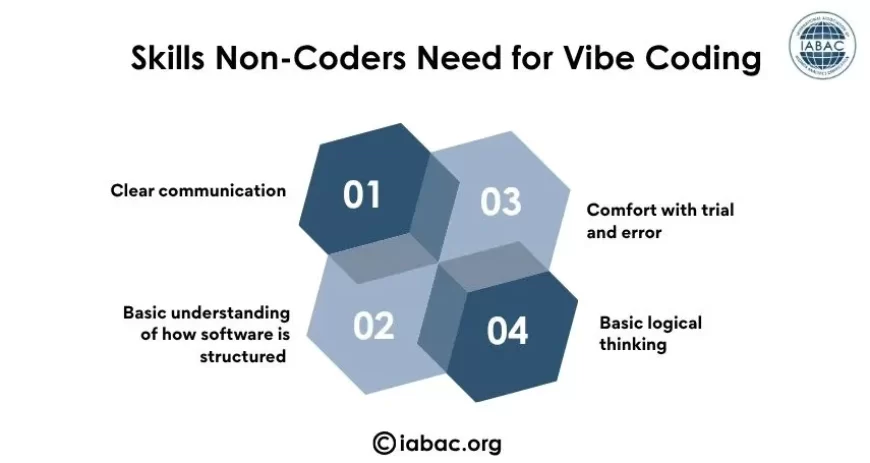
You don't need to know a programming language, but a few things make a real difference in the outcome:
Clear communication
The AI can only build what you describe. Vague instructions lead to vague results. Being specific about layout, behavior, and edge cases produces far better output than a broad request.
Basic understanding of how software is structured
Knowing that a website has a frontend (what users see) and sometimes a backend (where data is stored) helps you ask better questions.
Comfort with trial and error
Vibe coding rarely works in one shot. It usually involves asking, checking, correcting, and asking again.
Basic logical thinking
Even without code, you need to think in steps. If a user clicks this button, what should happen? This kind of step-by-step thinking is closer to a coding skill than most people realize.
A few habits also make a big difference once you're actually building:
- Be specific with real detail: Instead of "make it bigger," say something like "increase the font size and add more padding." Mention exact colors, layouts, and functionality.
- Reference real products: Saying "make the navigation similar to Stripe's website" gives the AI a clear design target.
- Build in steps, not all at once: Start with the basic structure, then add one feature at a time.
- One change at a time when fixing bugs: This makes it easier to tell what worked and what broke.
- Describe edge cases: For example, "if the search returns no results, show a message" rather than leaving that case undefined.
- Save versions before big changes, so you can roll back if something breaks.
When something isn't working, describing it clearly helps the AI fix the right problem: what you expected to happen, and what actually happened instead, works far better than just saying "it's broken."
Popular Vibe Coding Tools
Several tools are known specifically for helping non-coders build without writing code:
Lovable – Often considered the easiest starting point for complete beginners. It builds a full working version, including frontend, backend, and database, and handles deployment automatically.
Bolt – A browser-based tool built for speed, good for quickly turning an idea into a usable prototype.
Replit – Combines a code editor, an AI agent, hosting, and a database in one browser tab. Popular with non-technical founders who want everything in one place.
v0 by Vercel – Focused on building clean, well-designed web interfaces and components.
Emergent – Uses a set of AI agents working together to design, build, and deploy full web and mobile apps from a single conversation.
Google AI Studio – Has added features that let you describe an app and get a working build. It's a strong option but works best for people with a bit of technical comfort, since the tool as a whole leans more toward testing and configuring AI models rather than being built exclusively for non-coders.
There are also tools like Cursor, Claude Code, and Windsurf, but these are built for people who already know how to code. They're better suited to developers who want to move faster, not someone starting from zero.
Is Vibe Coding Replacing the Need to Learn Coding?
Not exactly. It's changing what "needing to learn coding" means. A few years ago, learning to code was close to mandatory if you wanted to build any digital product. Now, it's more of an advantage than a requirement, especially for smaller projects.
There are really three ways people approach this.
Some go with a fully non-technical approach, letting the AI build everything and trusting it as-is.
Others take a hybrid approach, learning by tweaking the code the AI generates and slowly picking up real understanding.
And some treat vibe coding as a learning pathway, using it as a stepping stone toward genuinely understanding how software works.
For people who want to go further, a basic understanding of coding logic makes vibe coding far more effective. This doesn't mean becoming a full developer. It means understanding enough to communicate clearly with the AI, catch mistakes early, and know when a project needs real technical help.
Practical Tips for Non-Coders Starting Out
- Start with small, low-risk projects instead of jumping into something complex first.
- Write instructions the way you'd explain the idea to a person, not a machine.
- Test the output thoroughly before trusting it, especially if the app handles personal data or payments.
- Learn a small amount about how websites are structured. Even basic terms like "frontend," "backend," and "database" help you communicate better with the AI.
- Use your tool's version history and save progress before major changes. Know when to bring in a developer. Payment systems, user authentication, and sensitive data handling are worth getting technical help for, even if the rest of the app was built without coding skills.
The Bottom Line
Vibe coding is a genuine shift in how software gets built, and non-coders are a big part of why it exists. It's helping people turn ideas into working products without spending months learning to code first.
But it hasn't erased the value of technical understanding. It's moved that understanding from "required before you start" to "helpful once things get complicated." For those who want to build on this further, an artificial intelligence certification can be a practical next step, giving you the structured knowledge to understand how AI tools actually work under the hood, rather than just prompting them.
Knowing when to trust the tool fully and when to slow down, review, and bring in expert help is quickly becoming the most important skill in this new way of building software.