


























































How to Automate Your Business Using Claude AI
Learn how to automate your business using Claude AI — from customer support to workflows, reporting, and beyond. A step-by-step guide for entrepreneurs and teams.

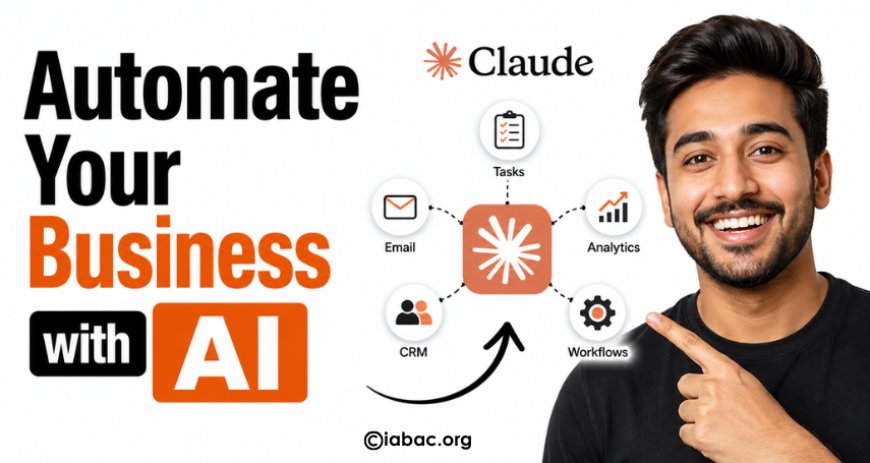
Why Business Automation With Claude AI Matters
Time is the one resource you can never get back. Yet most business owners and teams spend hours every week on tasks that follow the same pattern, require the same judgment, and produce the same type of output — over and over again.
Drafting replies to customer emails. Writing product descriptions. Summarizing reports. Creating social media content. Researching competitors. These are not high-leverage tasks. They are maintenance work — necessary, but not the reason you started a business.
This is exactly where Claude AI changes the game.
Claude is a large language model built by Anthropic, designed to understand nuanced instructions, reason through complex problems, and generate high-quality written output at scale. Unlike basic automation tools that follow rigid rules, Claude understands context — which means it can handle the kind of messy, language-heavy tasks that used to require a human.
This guide is for entrepreneurs, small business owners, marketing teams, and operators who want to move faster without hiring more people. You'll learn which business areas are best suited for Claude AI automation, how to get set up, and how to do it in a way that actually works.
What Is Claude AI? (And Why Use It for Automation)
Claude AI is a conversational AI assistant created by Anthropic, an AI safety company founded in 2021. Claude is designed to be helpful, harmless, and honest — making it a strong fit for business environments where reliability and accuracy matter.
How Claude Differs From Other AI Tools
You may already be familiar with ChatGPT or Google's Gemini. Claude operates in the same category but brings a few distinct advantages for business use:
-
Long context window: Claude can read and process very long documents — contracts, research papers, transcript dumps — in a single session. This is critical for summarization and document-heavy workflows.
-
Instruction-following: Claude is particularly strong at following detailed, multi-step instructions without drifting. This makes it reliable for templated tasks like report generation or structured content creation.
-
Nuanced reasoning: Claude handles ambiguous prompts well, making judgment calls that feel more considered than many alternatives.
-
Safety by design: Anthropic builds Claude with enterprise use in mind, meaning it is less likely to produce misleading or harmful outputs in professional contexts.
How to Access Claude AI
There are several ways to bring Claude into your business:
-
Claude.ai — The web and mobile chat interface. Ideal for individual users and small teams getting started.
-
Claude API — For developers and technical teams who want to embed Claude into their own tools, apps, or workflows.
-
Claude Code — A command-line tool for agentic coding tasks and software automation.
-
Team and Enterprise plans — Offer higher usage limits, admin controls, and data privacy guarantees for growing organizations.
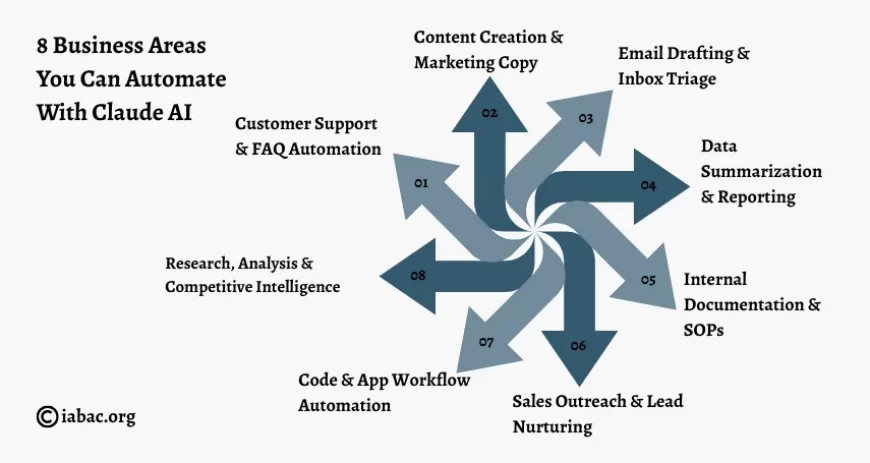
8 Business Areas You Can Automate With Claude AI
This is the core of what you came for. Here are eight high-impact areas where Claude can take repetitive, time-consuming work off your plate.
1. Customer Support & FAQ Automation
Customer support is one of the highest-volume, most repetitive communication tasks in any business. Most support tickets fall into a handful of categories: shipping questions, refund requests, product how-tos, account issues.
Claude can be trained — through a well-written system prompt — to respond to common inquiries in your brand's voice, with accurate information pulled from your knowledge base. Integrated via API into tools like Intercom, Zendesk, or a custom chat widget, Claude can handle first-line support around the clock.
Even if you keep a human in the loop for final approvals, having Claude draft the response first cuts handling time dramatically.
Example prompt framework:
"You are a customer support agent for [Company Name]. Always be friendly and professional. Use the following FAQ data to answer questions. If you are unsure, say so and offer to escalate."
2. Content Creation & Marketing Copy
Content marketing requires a constant stream of output: blog posts, email newsletters, social captions, ad copy, landing page text, product descriptions. Keeping up with this manually is expensive and exhausting.
Claude can generate first drafts of all of the above, in your specific tone and style. Feed it a brand voice guide, a content brief, or even a few examples of your past writing, and it will produce output that requires editing rather than writing from scratch.
For e-commerce businesses especially, Claude can generate hundreds of unique product descriptions from a simple spreadsheet of product attributes — a task that would take a copywriter days.
3. Email Drafting & Inbox Triage
The average knowledge worker spends over two hours a day on email. Claude can help on both ends of that problem.
For outbound email — cold outreach, follow-ups, client updates, partnership proposals — Claude can draft polished messages from a brief set of bullet points. You review and send. Total time: under two minutes per email.
For inbox triage, Claude can read a batch of incoming messages and classify them by urgency, suggest draft replies, or extract action items — giving you a clear picture of what needs your attention without reading every message in full.
4. Data Summarization & Reporting
If your business generates data — sales figures, analytics dashboards, survey results, customer feedback — Claude can transform raw numbers and text into readable, decision-ready summaries.
Paste in a CSV, a wall of feedback comments, or a monthly analytics export, and ask Claude to identify trends, flag anomalies, and write a plain-English summary for stakeholders. This is particularly powerful for weekly and monthly reporting that follows a consistent format.
5. Internal Documentation & SOPs
Most businesses are chronically under-documented. Processes live in people's heads. New hires take months to get up to speed. Institutional knowledge walks out the door when someone leaves.
Claude can help you build and maintain internal documentation fast. Record a Loom video or write rough notes explaining how something works, feed it to Claude, and ask it to produce a clean Standard Operating Procedure (SOP), onboarding guide, or training document.
Over time, you can build a comprehensive internal wiki at a fraction of the cost of hiring a technical writer.
6. Sales Outreach & Lead Nurturing
Sales is a numbers game that demands personalization at scale — a difficult combination. Claude makes it achievable.
Give Claude a list of prospects with relevant context (company size, industry, pain points, recent news), and it can generate personalized outreach emails for each one. Not copy-paste template emails — genuinely tailored messages that reference specific details about each prospect.
Claude can also draft follow-up sequences, proposal documents, objection-handling responses, and post-call summaries, keeping your pipeline moving without draining your sales team's time on admin.
7. Code & App Workflow Automation (Claude Code)
For technical teams, Claude Code unlocks a new tier of automation. It can write, review, and debug code; generate scripts to automate repetitive developer tasks; integrate APIs; and work through multi-step engineering problems autonomously.
Even for non-technical founders, Claude can help build simple automation scripts using tools like Python or JavaScript — automating file processing, data transformation, scheduled reporting, and more — without needing to hire a developer for every small task.
8. Research, Analysis & Competitive Intelligence
Staying on top of your industry, monitoring competitors, and researching new markets takes time that most business owners do not have.
Claude can read lengthy reports, whitepapers, and articles and extract only what is relevant to your business. It can help you build competitor profiles, summarize industry trends, evaluate business ideas, and prepare briefings before important meetings.
Pair Claude with web search capabilities (available via the API) and it can pull current information from the web and synthesize it into actionable insights in minutes.
How to Set Up Claude AI for Your Business: Step-by-Step
Getting started does not require a technical background. Here is a practical path from zero to running your first automated workflow.
Step 1: Choose the Right Plan
Start by deciding how you will access Claude:
-
Free or Pro plan on Claude.ai — Best for individuals and small teams who want to use Claude manually through the chat interface.
-
Team plan — Better for organizations that want shared access, admin controls, and higher usage limits.
-
API access — Essential if you want to integrate Claude into your own tools, websites, or automated pipelines. Requires some technical knowledge or a developer.
If you are just testing Claude for business use, the Pro plan is the lowest-friction starting point.
Step 2: Identify Your Highest-Leverage Automation Targets
Do not try to automate everything at once. Start by listing all the tasks you or your team repeat every week. Highlight the ones that are language-based, follow a consistent structure, and take the most time.
The best automation candidates share these traits: they happen frequently, the output quality needs to be good-but-not-perfect on the first pass, and they currently require human writing or thinking rather than deep expertise.
Step 3: Write Effective Prompts
The quality of Claude's output is directly tied to the quality of your instructions. Invest time in prompt engineering — the practice of crafting precise, detailed instructions that consistently produce the results you want.
A strong business prompt typically includes:
-
A role: "You are a professional copywriter for a SaaS company..."
-
Context: "Our product is X. Our audience is Y. Our tone is Z."
-
A clear task: "Write a 200-word product description for the following feature..."
-
Constraints: "Do not use jargon. End with a single clear CTA."
-
Format instructions: "Return the output as three short paragraphs."
Save your best-performing prompts as reusable templates.
Step 4: Integrate With Your Existing Tools
For manual use, Claude.ai is all you need. For true automation, you have two paths:
-
No-code integration: Tools like Zapier, Make (formerly Integromat), and n8n allow you to connect Claude's API to hundreds of other apps — Gmail, Slack, Notion, Airtable, Shopify, and more — without writing code.
-
API integration: If you have developer resources, the Anthropic API gives you full programmatic control to build custom workflows, internal tools, and embedded AI features.
Step 5: Test, Iterate, and Scale
Your first version of any AI workflow will not be perfect. Run it in a controlled environment, review the outputs, identify where Claude is missing the mark, and refine your prompts accordingly.
Once a workflow is producing consistent, usable output, document it and scale it. Hand it off to a team member, add it to your standard operating procedures, or automate it fully.
Best Practices for Automating With Claude AI
Getting results from Claude is less about the technology and more about how you work with it. These practices separate teams that see real ROI from those that give up after a few weeks.
Be specific, not general. Vague prompts produce vague outputs. The more detail you provide — tone, format, length, audience, goal — the more useful Claude's response will be.
Use system prompts to set permanent context. When using the API or building a tool, a system prompt lets you define Claude's role, constraints, and behavior once rather than repeating it in every message.
Always review before publishing or sending. Claude is a powerful first-draft engine, not a fully autonomous publisher. Build a human review step into every customer-facing workflow.
Build feedback loops. When Claude produces a bad output, don't just move on — refine the prompt so it doesn't happen again. Over time, your prompts become a competitive asset.
Maintain a human-in-the-loop for consequential decisions. Claude is excellent at drafting, summarizing, and generating. Final judgment calls — especially anything involving money, legal exposure, or sensitive customer situations — should remain with a human.
Real-World Use Cases: Businesses Winning With Claude AI
SaaS startup, 12 employees: Their customer success team was spending 40% of their time writing onboarding email sequences for new clients. They built a Claude-powered tool that generates a personalized 7-email onboarding sequence in under three minutes based on the client's industry and use case. Time saved: approximately 15 hours per week.
E-commerce brand, 4-person team: With over 800 SKUs in their catalog, writing unique product descriptions was a perpetual backlog. They fed Claude a spreadsheet of product attributes and a brand voice guide, and generated all 800 descriptions in an afternoon. Quality required light editing, not rewriting.
Marketing agency, 20 staff: Monthly client reports were taking account managers four to six hours each to compile and write. They created a Claude workflow that ingests raw analytics data and drafts a narrative report in their standard format. Report writing time dropped from five hours to forty-five minutes per client.
Solo founder: Running a one-person consulting business, the founder was spending nearly a full day per week on administrative writing — proposals, follow-up emails, meeting summaries, LinkedIn content. Using Claude through the Pro plan with a set of saved prompt templates, she reclaimed most of that time without hiring anyone.
Limitations of Claude AI in Business Automation
Claude is a powerful tool, but it is not magic. Going in with clear expectations will save you frustration.
It is not a replacement for specialized software. Claude is excellent with language. It does not replace your CRM, your accounting software, your project management tool, or your analytics platform. It works best alongside these tools, not instead of them.
Output quality depends on input quality. If your prompts are vague, your context is incomplete, or your source data is messy, Claude's output will reflect that. Garbage in, garbage out still applies.
Real-time data requires additional setup. Claude's base knowledge has a training cutoff. For workflows that require current information — live pricing, recent news, real-time inventory — you need to connect Claude to live data sources via the API.
Regulated industries require extra care. If you operate in healthcare, legal, financial services, or another regulated sector, AI-generated content must be reviewed for compliance before use. Claude is not a licensed professional and should not be treated as one.
Conclusion & Next Steps
Business automation with Claude AI is not a future possibility — it is available right now, to businesses of any size, at a price point that makes immediate ROI achievable.
The opportunity is simple: identify the language-heavy, repetitive tasks that consume your team's time, hand them to Claude, and reinvest those hours into work that actually requires human creativity and judgment.
Start small. Pick one workflow — a weekly report, a customer support response template, a content brief generator — and build a prompt that produces a reliable output. Once that works, add another. Within a few months, you can have a meaningful portion of your business's written output running on autopilot.
The businesses that move on this now will build a significant operational advantage over those that wait.
If you want to go beyond basic automation and build real expertise, consider exploring an AI certification program focused on automation and prompt engineering. It can help you design scalable workflows, integrate AI into business systems, and position yourself as an AI-driven professional.