


















































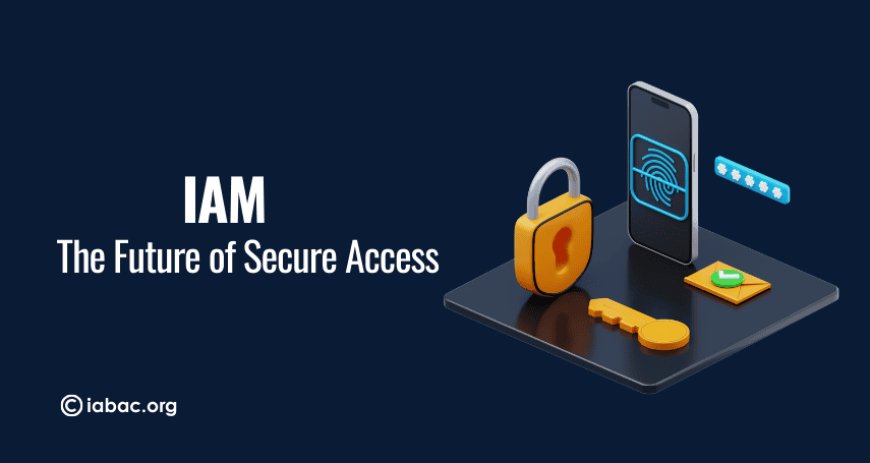
IAM: The Future of Secure Access
IAM improves security with MFA, passwordless login, device checks, and Zero Trust. Discover how modern identity management protects access across systems.

Your Identity Is the New Security Perimeter
We live in a time where unlocking anything, your phone, your laptop, your bank, your cloud dashboard, begins with one simple action: proving that you are actually you.
That tiny moment of authentication is now more powerful than any firewall your company ever bought. Because attackers today are not kicking down digital doors; they’re quietly logging in like regular users. One leaked password, one OTP trick, one careless login from a random caféand the whole organisation is exposed.
This is where IAM, Identity and Access Management, steps in.
Not as a boring IT tool. Not as another “license to renew.”
But as the invisible guardrail that stands between your business and a world full of very creative cybercriminals.
IAM is not limited to logins.
IAM is not only about MFA. (Multi-Factor Authentication)
IAM is not just “security.”
IAM is trust. IAM is in control. IAM is the rulebook of who enters your digital kingdom and how far they’re allowed to go.
And every company matter how big or small now betting its survival on it.
1. What IAM Really Is in Words That Actually Make Sense
IAM decides who you are, how you prove it, what you can touch, and what you absolutely cannot mess witheven if you try.
At its core, IAM revolves around four simple but critical checkpoints:
1. Who are you? (Identity)
Are you an employee? Admin? Intern? Bot? Attacker pretending to be Prem from accounting?
2. Can you prove it? (Authentication)
Password? OTP? Fingerprint? Token? Magic?
IAM needs proof.
3. What can you do? (Authorization)
You might be logged in, but are you allowed to open that database, edit that file, or download that report?
4. Should we trust this login right now? (Context)
New device?
New country?
2 AM access?
A little suspicious?
IAM checks everything before opening the gate.
This isn’t overconfidence.
This is survival.
2. Why IAM Matters More Than Ever (A Reality Check)
Cybersecurity used to be simple.
You had one office. One network. One firewall. Everyone worked under one roof.
Now?
People work from:
-
trains
-
airports
-
living rooms
-
coffee shops
-
coworking spaces
-
literally anywhere with Wi-Fi
Cloud apps multiplied like rabbits.
Every tool needs a login.
Every login becomes an attack point.
Attackers realized something brilliant:
Why hack a server when you can hack a person?
And trust me, humans are much easier to hack.
So IAM became the backbone of modern security.
Let’s break down the REAL reasons IAM is exploding in importance.
1 Passwords Are a Lost Cause
Let’s not pretend otherwise.
People reuse passwords everywhere.
They pick passwords inspired by birthdays, movie names, or their dog.
Attackers guess them in seconds.
IAM fixes this with:
Multi-Factor Authentication (MFA)
-
Adds an extra verification step beyond passwords, making stolen credentials useless.
-
Uses OTPs, authenticator apps, or push approvals to confirm the real user.
-
Blocks attackers even if they know the correct password.
Passwordless Login
-
Removes passwords completely and uses more secure methods like biometrics or device-based keys.
-
Stops password reuse, guessing, and phishing attacks.
-
Makes login easier and more secure at the same time.
Device Checks
-
Verifies if the login is coming from a trusted laptop, phone, or system.
-
Flags new, unknown, or suspicious devices and asks for additional verification.
-
Prevents attackers from logging in from their own machines even with valid credentials.
Biometrics
-
Uses fingerprints, facial recognition, or iris scans to authenticate users.
-
Hard to steal or fake, making it safer than traditional passwords.
-
Works seamlessly with mobile devices and passwordless systems.
Risk-Based Access
-
Analyzes context like location, time, device, and user behavior before approving access.
-
Challenges high-risk logins with MFA or blocks them entirely.
-
Allows smooth access for trusted logins while stopping suspicious ones in real time.
In short:
IAM saves us from our own terrible password habits.
2 Remote Work Destroyed Traditional Security Boundaries
A company today isn’t just one office. It’s people logging in from homes, cafés, airports, and different countries. Every login comes from a different network, and not all of them are secure.
If one weak network exposes one employee, that account can become the path into the company’s systems. A small slip can turn into a bigger risk.
One insecure network → one hacked employee → one compromised system.
IAM works like a quiet seatbelt in the background. It checks who’s logging in, from where, and with what device. It keeps access controlled so that even if one point is exposed, the whole system doesn’t fall apart.
IAM becomes the invisible seatbelt that keeps everything intact.
3 Cloud Adoption Turned Access Chaos Into a Security Nightmare
Most companies now use:
-
AWS
-
Azure
-
Google Workspace
-
Slack
-
HubSpot
-
GitHub
-
Jira
-
Zoho
-
Salesforce
Each one needs secure access.
Each login is a risk.
IAM ties everything together under one set of strict, controlled access rules.
4 Cybercriminals Prefer Logging In Over Breaking In
The majority of breaches today come from:
-
Stolen passwords
When attackers get hold of employee passwords—through phishing, data leaks, or unsafe networks—they can log in as real users. This makes the breach harder to detect because the system sees a “valid” login.
-
Weak access controls
If a company doesn’t limit who can access what, users end up with more permissions than they need. This gives attackers more room to move if they gain access to any account.
-
Unused accounts
Accounts belonging to former employees or old test accounts often stay active. These forgotten accounts become easy entry points because nobody is monitoring them.
-
Admin permissions, nobody removed
Sometimes users keep admin rights long after they stop needing them. If an attacker gets into an account with high-level access, the impact is bigger because those permissions can change settings, access sensitive data, or move across systems.
Hackers are smart.
Why battle firewalls when they can log in as “employee123”?
IAM stops this with:
-
Least privilege
-
Continuous verification
-
Admin restrictions
-
Identity governance
-
Session monitoring
5 Regulations Are No Longer Suggestions They’re Demands
Industries must now follow rules like:
-
GDPR
-
HIPAA
-
SOC2
-
ISO 27001
-
PCI DSS
If they don’t?
Huge fines.
Public embarrassment.
Loss of trust.
IAM keeps organizations compliant without manual chaos.
3. IAM Is the Digital Bouncer Your Business Desperately Needs
Picture a top-tier nightclub.
IAM is the bouncer.
The kind who doesn’t smile.
Doesn’t get fooled.
Doesn’t let anyone sneak in.
-
No ID? No entry.
-
Fake ID? No entry.
-
Suspicious behavior? Out.
-
Trying to reach VIP area without permission? Also out.
But IAM is better than a bouncer.
It works 24/7.
Doesn’t take breaks.
Doesn’t get tired.
Doesn’t get confused between identical twins.
IAM protects your organization at all timeseven while you sleep peacefully.
4. The Core Components of IAM
Even though IAM sounds technical, it’s built on straightforward foundations.
1 Identity Management Defining Who Everyone Is
Every user gets a digital identity:
-
employees
-
interns
-
vendors
-
customers
-
devices
-
bots
Identity management creates, stores, updates, and deletes these identities.
It’s like the HR system of cybersecurity.
2 Access Management Deciding What Each Person Can Do
This is where IAM shows its strict side.
-
Finance → Finance apps
-
HR → HR portals
-
Developers → Servers
-
Interns → Basically nothing (sorry interns)
Access is controlled with precision.
3 Authentication Proving You Are Actually You
IAM uses:
Passwords
-
Basic authentication method, but easily reused, guessed, or stolen.
-
Weak against phishing, credential stuffing, and data leaks.
-
IAM treats passwords as the weakest layer, not the main security control.
OTP (One-Time Password)
-
A temporary code sent via SMS, email, or authenticator app to verify identity.
-
Adds a second layer of protection even if the password is compromised.
-
Useful but can be phished or intercepted, so IAM uses it as one of many signals.
Biometrics
-
Uses physical traits like fingerprints or face scans for authentication.
-
Hard to fake, impossible to “forget,” and extremely difficult for attackers to bypass.
-
Forms the backbone of secure, user-friendly, passwordless login experiences.
SSO (Single Sign-On)
-
Allows users to log in once and access multiple apps without entering credentials repeatedly.
-
Reduces password fatigue and improves security by centralizing authentication.
-
IAM controls all connected apps behind a single trusted entry point.
Passwordless Login
-
Eliminates passwords entirely and replaces them with biometrics, trusted devices, or security keys.
-
Removes the biggest security risk: human-created passwords.
-
Provides the fastest, smoothest, and most secure login experience.
No proof = no entry.
4 Authorization The Rules of “What Can You Touch?”
RBAC (Role-Based Access Control)
-
Permissions are given based on job roles like HR, Finance, Developer, and Admin.
-
Simple, predictable, and easy to manage at scale.
-
“Your role decides your access.”
ABAC (Attribute-Based Access Control)
-
Access depends on conditions like location, device, time, department, or user behavior.
-
More flexible than RBAC and context-aware.
-
“Access changes based on situation.”
PBAC (Policy-Based Access Control)
-
Uses predefined rules or policies to decide who can do what.
-
Ideal for organizations needing strict, consistent access logic.
-
“If the rule says no, it’s a no — no negotiating.”
Least Privilege
-
Users get only the minimum access required to do their job.
-
Reduces damage from mistakes or compromised accounts.
-
“No extra keys. No unnecessary permissions.”
In Simple Words:
Authorization is like assigning keys inside a building.
Everyone can enter the lobby — but only a few get access to the server room.
Master keys are rare. Most people only get the keys they truly need.
5 IGA Identity Governance & Administration
This is the compliance brain of IAM:
-
access reviews
-
user lifecycle
-
audits
-
certifications
-
policy enforcement
IGA ensures no one has access they shouldn’t.
6 PAM Protecting Privileged Accounts
Admins hold the keys to the entire digital kingdom.
If they get hacked, it’s game over.
PAM protects:
-
system admins
-
root accounts
-
database admins
-
cloud administrators
These accounts get stricter monitoring than anyone else.
5. IAM Architecture: The Big Picture View
A standard IAM system includes:
-
Identity directory – A central place that stores all user identities and roles.
-
Authentication system – Verifies the user with passwords, MFA, biometrics, or passwordless login.
-
Authorization engine – Decides what each user is allowed to access after logging in.
-
Access gateway – Filters and controls access to apps, data, and cloud services.
-
Governance layer – Manages onboarding, offboarding, audits, and compliance rules.
-
Privileged access controls – Adds extra protection for admin and high-risk accounts.
-
Monitoring and analytics – Tracks logins and behaviors to detect suspicious or risky activity.
These layers work together like a well-trained security team.

6. IAM Frameworks Big Companies Follow
NIST IAM Framework
A global security standard that guides how identities should be managed, authenticated, authorized, and monitored. It follows five steps — Identify, Protect, Detect, Respond, and Recover — ensuring every user’s access is controlled throughout their entire lifecycle.
Zero Trust Model
A modern security approach that assumes no one is trusted by default. Every request must be verified, every device must be checked, and every action must be validated. In Zero Trust, “Never trust, always verify” is the rule.
ISO 27001 Access Controls
An international security standard that requires strict control over who can access what. It enforces least privilege, secure authentication, regular access reviews, and strong protection for sensitive accounts to maintain compliance.
7. IAM Tools Compared (So You Know What Actually Exists)
|
Tool |
Best For |
Strength |
Weakness |
|
Okta |
SSO + MFA |
easy + powerful |
expensive |
|
Azure AD |
enterprise IAM |
Microsoft ecosystem |
complex setup |
|
CyberArk |
privileged access |
unmatched PAM |
costly + heavy |
|
AWS IAM |
cloud IAM |
cloud-native |
limited SSO |
8. Real-World IAM Use Cases (Across Industries)
Finance
Stops fraud, protects financial accounts, and controls access to sensitive transactions.
Protects patient records, secures medical systems, and helps organizations meet HIPAA requirements.
Retail & E-commerce
Prevents account takeovers, blocks fake logins, and reduces online abuse or fraudulent orders.
Enterprises
Manages thousands of employee identities, streamlines access, and secures large, complex systems with ease.
9. IAM Implementation Roadmap (Step-by-Step)
-
Evaluate users, apps, and risks.
-
Centralize identity directory.
-
Enable SSO + MFA everywhere.
-
Set RBAC + least privilege.
-
Integrate apps into IAM.
-
Protect admin accounts with PAM.
-
Automate onboarding/offboarding.
-
Monitor access continuously.
10. IAM Challenges (And the Real Solutions)
Password Overload
➡ Fix it with SSO + passwordless login to reduce password fatigue and strengthen security.
Too Many Permissions
➡ Solve it with regular access reviews and the least privilege rule so users only have what they truly need.
Insider Threats
➡ Control them using PAM and activity monitoring to track and restrict high-risk accounts.
Identity Sprawl
➡ Prevent it by using a centralized IAM system that manages all identities from one place.
11. The Future of IAM Smarter, Faster, Safer
-
AI-powered identity risk scoring
-
Behavioral authentication
-
Passwordless everywhere
-
Decentralized identity
-
Adaptive access
-
Identity as a Service (IDaaS)
IAM is evolving faster than cybercrime can keep up.
IAM Is Not Optional. It’s Essential
If firewalls were the heroes of the past,
IAM is the hero of the future.
Because today:
One stolen password = one disaster.
One over-permissioned user = one hidden bomb.
One unverified login = one breach waiting to happen.
IAM prevents all of it.
IAM is not just a tool.
Not just a login layer.
Not just a “security feature.”
IAM is the invisible shield holding your entire digital world together.
Your identity is power.
Your access is risk.
IAM is protection.
And in the future of secure access, IAM is the only way forward.