


























































18-Day Roadmap to Master the Basics of AI Automation
Follow an 18-day roadmap to master AI automation basics with practical learning steps, tools, and workflows to build real-world automation skills fast.

AI automation is no longer a futuristic concept. It has become a powerful and practical business solution used by startups, enterprises, marketers, operations teams, and tech professionals worldwide. From automating emails to building intelligent workflows, AI is transforming how businesses operate.
If AI automation is part of your growth roadmap, the most important thing you need is a clear and structured learning path. This 18-day roadmap is designed to help you understand AI automation step by step — starting from the fundamentals and gradually moving toward building and optimizing complete real-world systems.
Let’s explore the journey in detail.
Why Learn AI Automation?
Before diving into the roadmap, it’s important to understand why AI automation matters.
AI automation helps businesses:
- Reduce manual and repetitive work
- Improve operational efficiency
- Increase accuracy and consistency
- Save time and reduce operational costs
- Scale processes faster without increasing manpower
Whether you are a student, business owner, marketer, developer, or aspiring AI consultant, mastering AI automation gives you a strong competitive advantage in today’s digital job market.
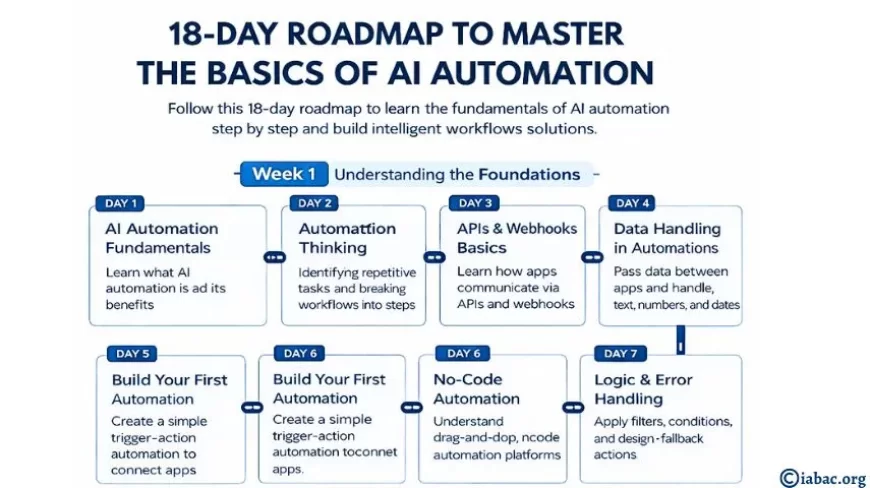
Week 1: Building the Strong Foundation
The first week focuses on understanding the fundamentals and developing automation thinking.
Day 1: AI Automation Fundamentals
Your journey begins with understanding the basics:
- What AI automation actually means
- The difference between automation, artificial intelligence, and machine learning
- How AI improves business workflows
You will also explore tools like ChatGPT and Claude to understand how AI can automate repetitive tasks such as email responses, content drafting, and customer communication. This builds conceptual clarity before moving into technical implementation.
Day 2: Developing Automation Thinking
Before building automation systems, you must learn how to think like an automation designer.
This involves:
- Identifying repetitive tasks in workflows
- Breaking complex processes into clear step-by-step sequences
- Thinking in terms of triggers, logic, and outputs
Workflow-building tools help you visualize processes, making it easier to understand how automation systems function.
Day 3: APIs & Webhooks Basics
Automation tools communicate through APIs and webhooks. These are the backbone of system integration.
You will learn:
- How APIs allow applications to communicate
- How webhooks send real-time updates between systems
- Basic concepts of JSON and structured data exchange
Understanding this allows you to connect multiple tools seamlessly.
Day 4: Data Handling in Automations
Automation runs on structured data. Without proper data handling, workflows fail.
On this day, you’ll learn how to:
- Pass data between different workflow steps
- Use variables and field mapping
- Handle text, numbers, and date formats
This ensures your automation behaves correctly and processes information efficiently.
Day 5: Build Your First Automation
Now it’s time to apply your knowledge.
You will:
- Create a simple trigger-action workflow
- Connect two applications
- Test and validate the results
This hands-on experience builds confidence and practical understanding.
Day 6: Exploring No-Code Automation Platforms
Not all automation requires coding. No-code tools make automation accessible to everyone.
You will explore platforms that allow:
- Drag-and-drop workflow creation
- App integrations
- Quick and easy deployment
Tools like Zapier, Make, and n8n enable beginners to start building automation systems quickly.
Day 7: Logic and Error Handling
Real-world automation must be reliable.
You’ll learn how to:
- Apply filters and conditional logic
- Add fallback actions
- Handle errors properly
This ensures your automation workflows are stable and production-ready.
Week 2: Integrating AI into Automation
The second week focuses on adding intelligence to automation systems.
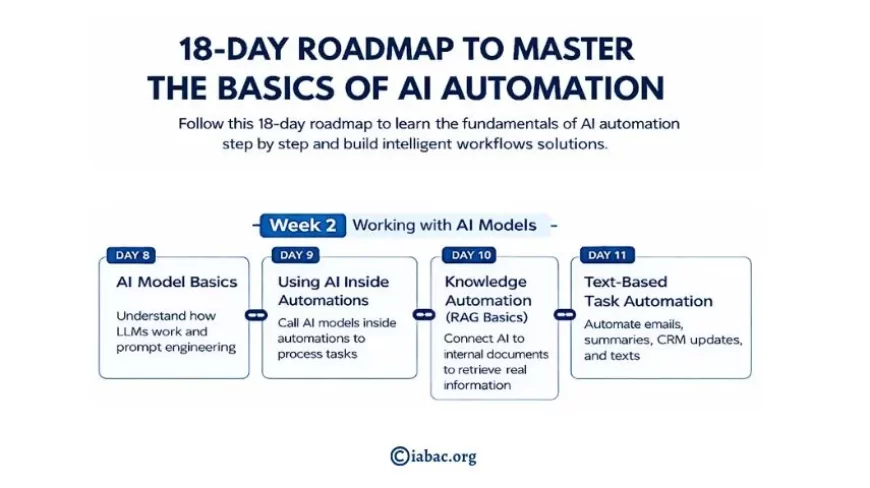
Day 8: AI Model Basics
To integrate AI, you must understand how AI models work.
You’ll explore:
- What Large Language Models (LLMs) are
- How prompts guide AI responses
- Token limits and context management
Tools like OpenAI, Claude, and Gemini are commonly used in AI automation.
Day 9: Using AI Inside Automations
Now you combine automation with intelligence.
You’ll learn how to:
- Call AI models from automation platforms
- Send structured prompts
- Process AI-generated outputs
This is the point where automation becomes smart and dynamic.
Day 10: Knowledge Automation (RAG Basics)
Retrieval-Augmented Generation (RAG) improves AI accuracy by connecting it to real data sources.
You will learn how to:
- Connect AI models to internal documents
- Retrieve accurate business information
- Reduce hallucinations in AI responses
This is especially useful for chatbots, knowledge systems, and internal documentation tools.
Day 11: Text-Based Task Automation
AI excels at text-based tasks.
You’ll automate processes such as:
- Email responses
- Text summarization
- CRM updates
AI can classify, summarize, and generate content automatically, saving significant time.
Day 12: Prompt Design for Automation
Prompt engineering is a critical skill.
You’ll learn how to:
- Write structured and precise prompts
- Force structured outputs like JSON
- Reduce inconsistencies and errors
Better prompts produce better automation results.
Week 3: Advanced Use Cases and Optimization
The final week focuses on real-world applications and system improvement.
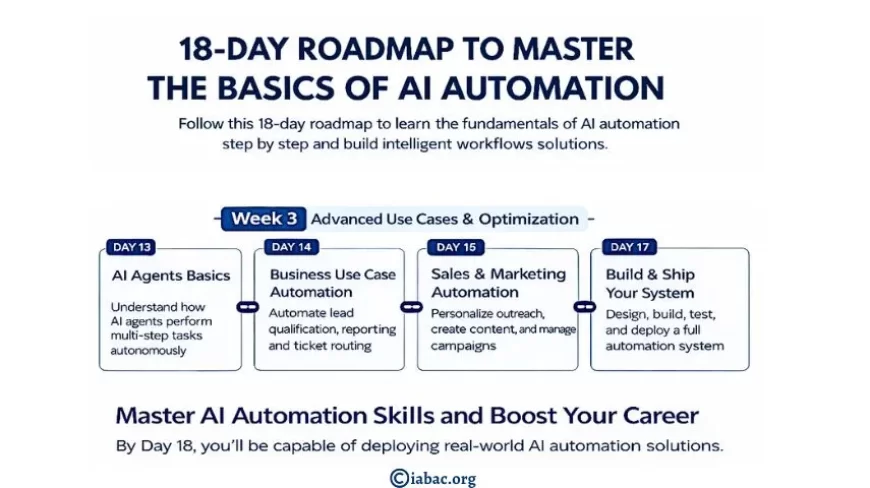
Day 13: AI Agents Basics
AI agents can perform multi-step tasks and interact with tools.
You’ll understand:
- How AI agents work
- When to use agents instead of simple workflows
- How agents make decisions
This expands your ability to build complex systems.
Day 14: Business Use Case Automation
Now you apply automation to real business problems:
- Lead qualification
- Support ticket routing
- Internal report generation
This stage connects your learning directly to career relevance.
Day 15: Sales and Marketing Automation
AI automation can transform marketing operations.
It can help you:
- Personalize outreach campaigns
- Generate marketing content
- Automate follow-ups
- Manage campaigns efficiently
These skills are highly valuable for startups and growing companies.
Day 16: Operations Automation
Internal operations can also benefit from automation.
You will learn how to:
- Automate task creation
- Send alerts and notifications
- Update systems automatically
Operations automation increases team productivity and reduces errors.
Day 17: Monitoring and Optimization
Building automation is not the final step — monitoring is essential.
You will learn how to:
- Track performance metrics
- Monitor workflow success
- Optimize efficiency
- Reduce failure rates
Continuous improvement is key to scaling AI systems.
Day 18: Build and Ship Your Complete System
On the final day, you bring everything together.
You will:
- Design a complete end-to-end automation system
- Test it with real data
- Document the process
- Deploy it properly
This transforms you from a learner into a builder.
Career Benefits of Learning AI Automation
Mastering AI automation prepares you for high-demand roles such as:
- AI Automation Specialist
- AI Consultant
- Workflow Automation Engineer
- AI Product Manager
- Operations Automation Manager
- AI Implementation Consultant
Organizations actively seek professionals who understand AI tools, APIs, workflow logic, and automation platforms.
This 18-day roadmap is not just about learning tools — it is about developing automation thinking.
By the end of this journey, you will:
- Understand AI fundamentals
- Build intelligent workflows
- Integrate AI models into automation systems
- Deploy real-world, scalable solutions
AI automation is one of the most in-demand skills in today’s digital economy. If you follow this roadmap consistently, you will gain practical expertise and career-ready skills that set you apart in the job market.